Your degree,
laid out clearly.
Pathway turns requirements, prerequisites, and registration chaos into a clear semester-by-semester plan - so you always know exactly what to take, when to take it, and what it counts for.

Available for iPhone, iPad, and Mac · Free, with an optional Pathway+ upgrade
Everything between you and graduation, organized
Built for real university catalogs - actual requirements, actual courses, actual rules. Not a spreadsheet with extra steps.
Plan every semester
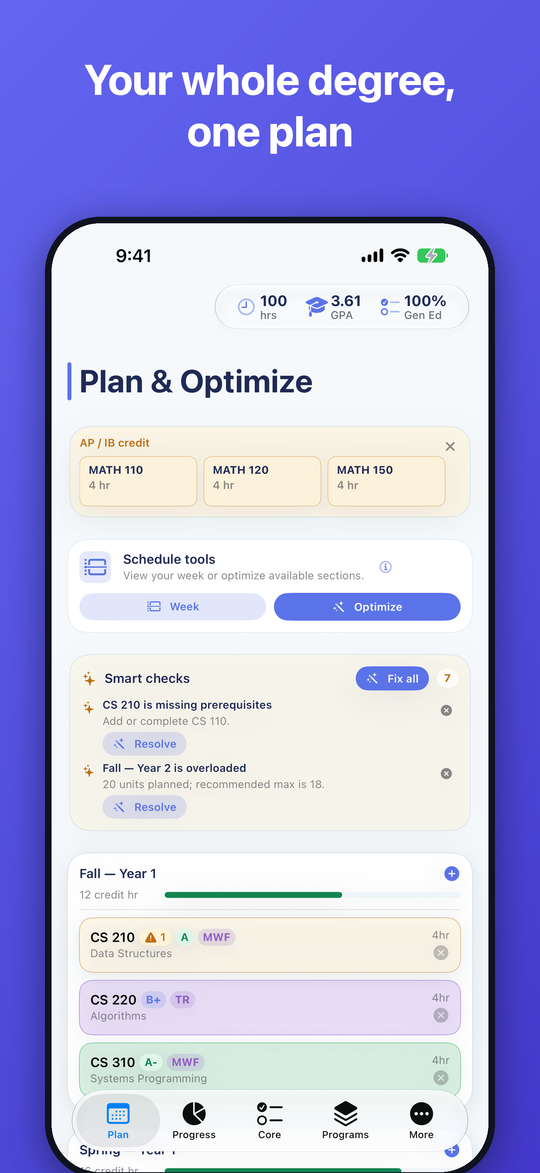
Lay out your entire degree - four years, three, or five. Courses carry credits, prerequisites, and requirement tags with them.
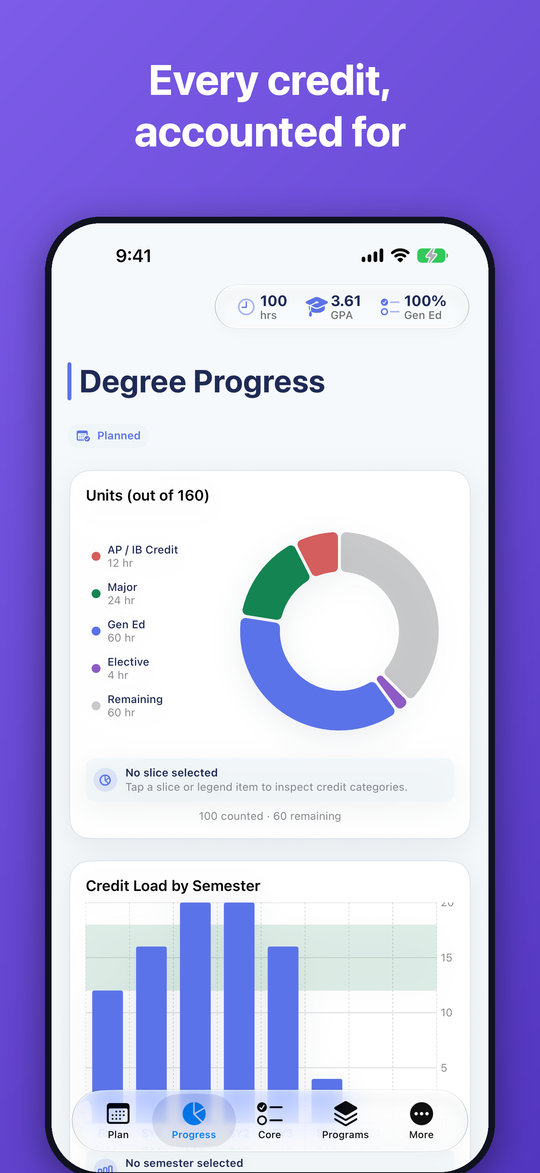
Live requirement tracking
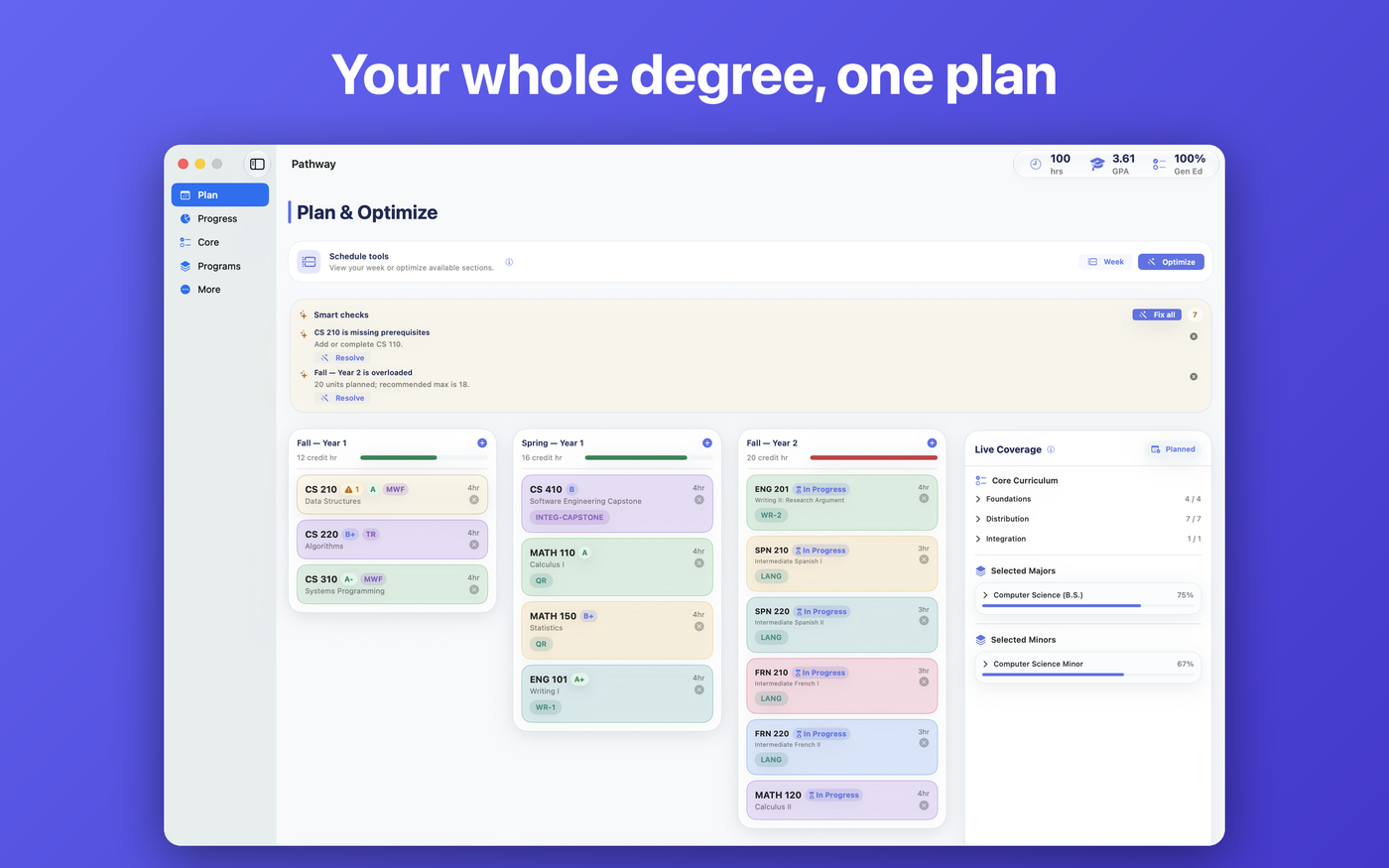
See every requirement each course satisfies, the moment you add it. Gen eds, majors, minors - the gaps show themselves.
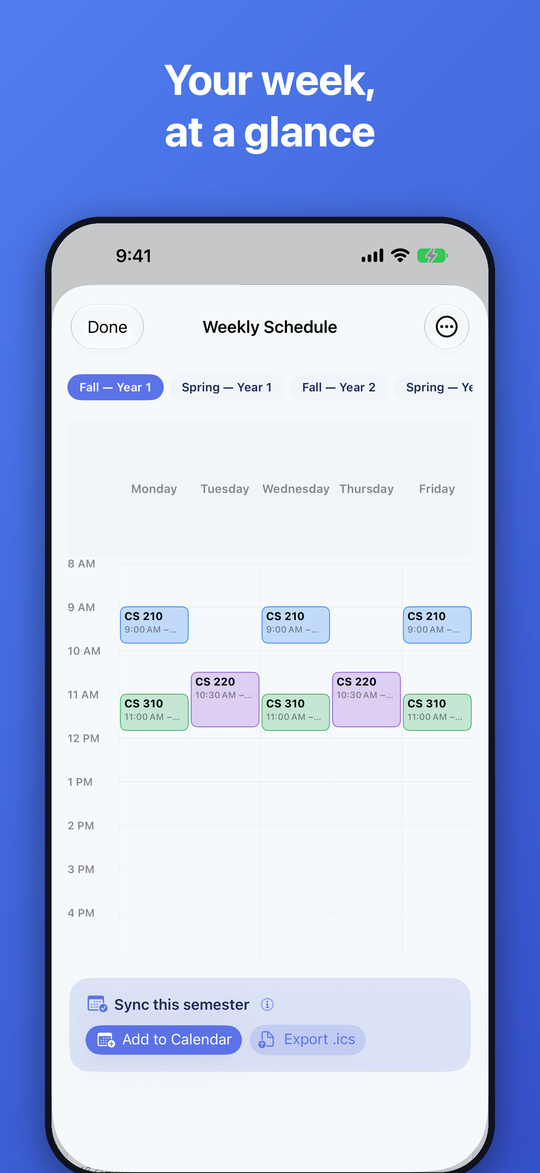
Your week, at a glance
Turn any semester into a weekly calendar, catch time conflicts instantly, and push it to your calendar in one tap.
Exam & transfer credit
Enter scores once and watch credit apply itself across requirements - with duplicate awards deduped automatically.
Grades & GPA
Log grades as they land and track your GPA on your school's scale, semester by semester.
Prereq radar
Overloaded terms and missing prerequisites get flagged before registration does it for you.
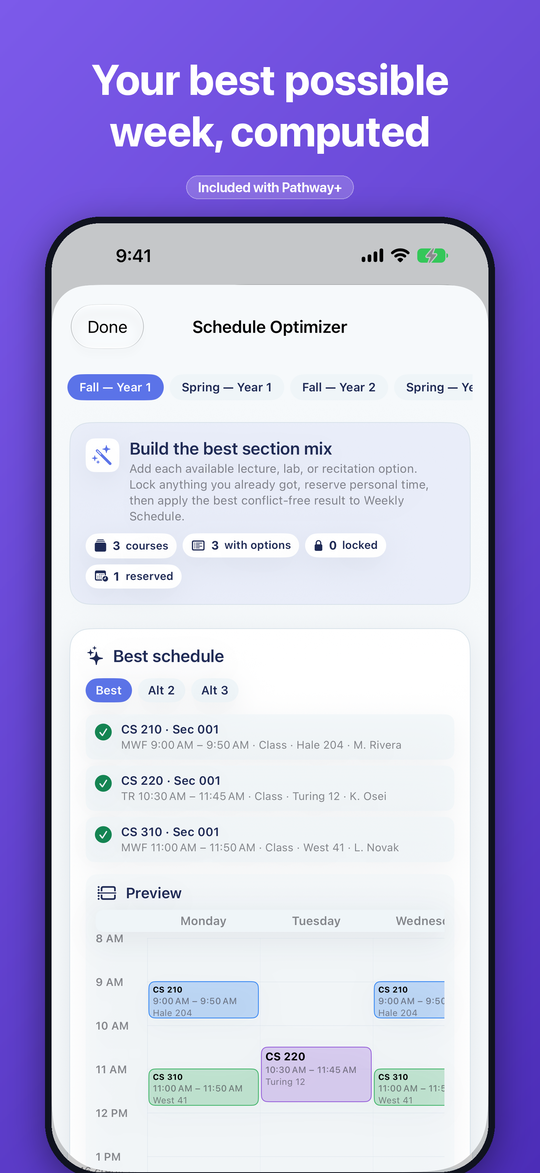
The heavy machinery
- ✦Schedule Optimizer
Feed it your section options, shifts, and priorities - it computes your best conflict-free week.
- ✦What-if plans & Compare
Save "graduate early" or "add a minor" versions, then explore two plans side by side.
- ✦Private on-device AI
Ask questions about your plan. Nothing ever leaves your device.
- ✦Smart checks, GPA forecasting & exports
Continuous plan scans, grade scenarios, and advisor-ready documents.
Optional upgrade - monthly or yearly subscription, or a one-time lifetime purchase. The core planner stays free.
Plan small on the go. Plan big at your desk.
One plan, everywhere. Pathway is native on iPhone, iPad, and Mac, and syncs across all your devices in real time - with the big-screen versions built for serious planning sessions.
Quick answers
Is Pathway free?
Yes - planning semesters, tracking requirements, weekly schedules, exam credit, and GPA are all free. Pathway+ is an optional upgrade for the Schedule Optimizer, unlimited what-if plans with Compare, on-device AI, Smart checks, GPA forecasting, and exports.
Does Pathway work for my school?
Pathway plans against real university catalogs, and coverage keeps growing. A built-in demo university lets you explore every feature first - and if something at your school looks off, you can report it directly from the app.
Currently available:
- UNC Chapel Hill
- U-M Ann Arbor
- University of South Carolina
- University of Washington
- Yale
- CU Boulder
Do I need an account?
No. There's nothing to sign up for. Your plan lives on your device and syncs across all your devices in real time through your personal cloud storage.
What happens to my data?
It stays yours. No third-party ads, no cross-app tracking, no analytics SDKs, and nothing is ever sold. The AI features run entirely on-device. Read the full privacy policy.
Is Pathway a replacement for my advisor?
No - it's the thing that makes advising meetings productive. Pathway works hard to keep data accurate, but always confirm requirements with your advisor and your school's official site before registering.
See your whole degree in one place.
Free on iPhone, iPad, and Mac.